[파이썬 ( Python )] 파일 입출력 - File read (20)

#파일 입출력
#쓰기
Mymemo_file = open("Mymemo.txt", "w", encoding="utf8") # 쓰기 권한
# 파일제목을 변수로 지정하고 open을 통해서 파일을 열고 무슨 권한으로(현재는 쓰기 목적) 열지 정할 수 있습니다. (마지막에 인코딩 꼭 해줘야합니다. 안적으면 한글이 깨져서 보일 수도 있습니다.)
print("저는 지금 잠이 옵니다.",file=Mymemo_file) #파일에 들어갈 글을 아무거나 적습니다.
print("그래서 곧 자러 갈겁니다.",file=Mymemo_file) #내용을 적고 ,file= 파일명을 적어줍니다.
Mymemo_file.close() #파일을 닫아줍니다.
Mymemo_file = open("Mymemo.txt", "a", encoding="utf8") #a는 append로 해당 파일에서 이어서 작성하겠다는 뜻입니다.
Mymemo_file.write("\n집에 가고 싶어요") #.write로 작성할땐 자동 줄바꿈이 되지않기에 필요시 수동으로 적어줍니다.
Mymemo_file.write("\n피곤하네요")
Mymemo_file.close()
#읽기
Mymemo_file = open("Mymemo.txt", "r", encoding="utf8")
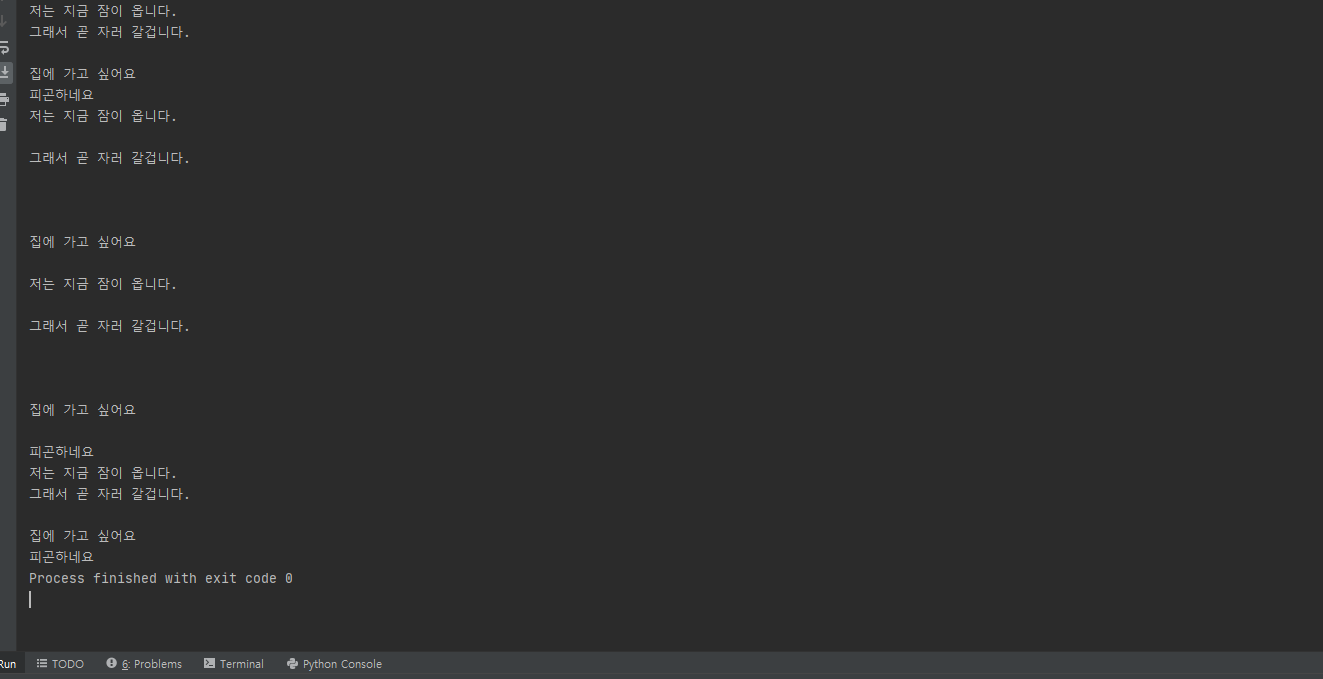
print(Mymemo_file.read()) #전체 내용을 불러옵니다.
Mymemo_file.close()
Mymemo_file = open("Mymemo.txt", "r", encoding="utf8")
print(Mymemo_file.readline())# readline()을 통해 각 줄별로 읽기가 가능합니다.
print(Mymemo_file.readline())
print(Mymemo_file.readline())
print(Mymemo_file.readline())
Mymemo_file.close()
#읽을려는 파일이 몇 줄있는지 모를때는 While문을 통해 읽어올 수 있습니다.
Mymemo_file = open("Mymemo.txt", "r", encoding="utf8")
while True:
line = Mymemo_file.readline()
if not line: #readline()으로 불러온 값이 없을때 아래의 구문을 실행합니다.
break #중단합니다.
print(line)
Mymemo_file.close()
Mymemo_file = open("Mymemo.txt", "r", encoding="utf8")
List = Mymemo_file.readlines() #List형태로 저장
for line in List:
print(line, end="")
Mymemo_file.close()
'Python' 카테고리의 다른 글
| [파이썬 ( Python )] Class - 클래스 (22) (0) | 2020.10.20 |
|---|---|
| [파이썬 ( Python )] Pickle (21) (0) | 2020.10.16 |
| [파이썬 ( Python )] 입출력 Input & Output (19) (0) | 2020.10.11 |
| [파이썬 ( Python )] 함수 Def (18) (0) | 2020.10.09 |
| [파이썬 ( Python )] Continue & Break (17) (0) | 2020.10.06 |